

PinGate for Sngine
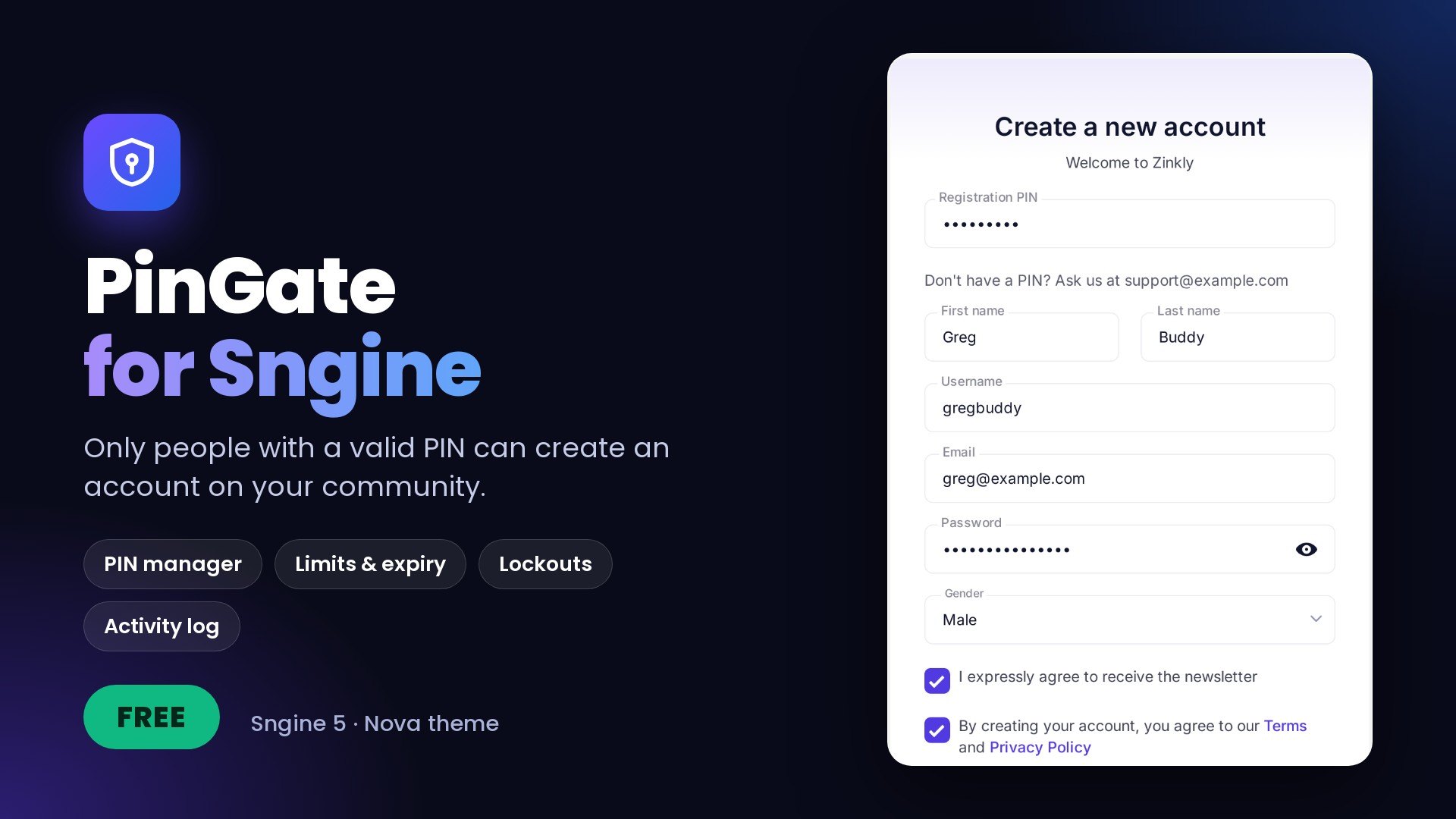
Free addon for Sngine 5: only people with a valid PIN can create an account. PIN manager, limits, expiry dates, lockouts and an activity log.
Features
13 features- Registration PIN field on every Nova sign-up design and on social sign-up
- Server-side check for the sign-up form, social sign-up and the API
- PIN manager: your own PINs, or up to 100 random PINs at a time
- A name, a status and an on / off switch for each PIN
- Limits per PIN: total sign-ups, sign-ups per day, start date and expiry date
- Limits for the whole site: sign-ups per day, and sign-ups per day from one IP address
- A use is only counted when an account is really created
- Lockout per IP address after too many wrong PINs
- Activity page: who registered with which PIN, wrong attempts and lockouts
- Optional help text on the sign-up form
- One master switch to enable or disable PinGate
- PINs stored as a keyed hash and shown only once
- Your members and content are never changed
PinGate adds a Registration PIN field to your Sngine sign-up form. Nobody can create an account without a valid PIN, and you decide who gets one. Members who already have an account sign in as usual.
Create as many PINs as you need in AdminCP, give each one its own limits, and see who registered with which PIN. The check runs on the server, so it also covers social sign-up and the API.
PinGate is free. It stays off after installation until you turn it on.
Perfect for
- Private betas and invite-only launches
- Company, school and club communities
- Partners and campaigns, each with their own PIN and limit
- Stopping waves of fake sign-ups
Documentation with screenshots: https://docs.zinkly.org/pingate.php
Requirements
- Sngine 5
- The Nova theme (other themes are not supported)
- PHP 8 or newer
- phpMyAdmin or MySQL access to import one file
- SSH or a hosting Terminal for one command, or a one-time Cron Job if you have no SSH
Installation
- Back up first. Back up your database and your Sngine files.
- Upload the files. Upload everything inside the
uploadfolder to your Sngine root (the folder that containsadmin.php), keeping the folder structure. - Import the database. In phpMyAdmin, select your Sngine database and import
includes/pingate/install.sql. - Connect PinGate to Sngine. From your Sngine root, run
php includes/pingate/patch.php --checkto preview, thenphp includes/pingate/patch.phpto apply. No SSH? The included guide shows how to use a one-time Cron Job. - Create your PINs. Open AdminCP > PinGate, add a PIN and copy it. PINs are shown only once.
- Turn it on. Open AdminCP > PinGate > Settings, switch on "Require a PIN to register" and save.
- Check it. Open
/signupin a private window and try a wrong PIN, then a correct one.
The package includes How to install PinGate.txt. Full guide: https://docs.zinkly.org/pingate.php#installation
Version 1.0
Latest
First release.
- Registration PIN field on every Nova sign-up design and on social sign-up
- Server-side PIN check for the sign-up form, social sign-up and the API
- PIN manager: your own PINs or up to 100 random PINs at a time
- A name, a status and an on / off switch for each PIN
- Limits per PIN: total sign-ups, sign-ups per day, start date and expiry date
- Limits for the whole site: sign-ups per day, and sign-ups per day from one IP address
- A use is only counted when an account is really created
- Lockout per IP address after too many wrong PINs
- Activity page: who registered with which PIN, wrong attempts and lockouts
- Optional help text on the sign-up form
Sign in to review.
No reviews yet
Sign in to join the discussion.
No comments yet
Be the first to ask something.
Is PinGate really free?
Yes. PinGate for Sngine is a free download.
Which Sngine version and theme do I need?
Sngine 5 with the Nova theme. Other themes are not supported.
Do my existing members need a PIN?
No. PinGate only asks for a PIN when a new account is created. Existing members sign in as usual.
How is this different from Sngine invitation codes?
Invitation codes are a separate Sngine feature. PinGate PINs are created and managed by you in AdminCP, with limits, dates and an activity log. A PIN can be used by many people, up to the limit you set.
Can I see a PIN again after creating it?
No. PINs are shown only once. The list shows the last 2 characters to help you recognise them. If you lose one, create a new one and turn off the old one.
Does a failed sign-up use up a PIN?
No. A use is only counted when the account is really created.
What happens when I disable PinGate?
The PIN field disappears and registration works as normal Sngine. Your PINs and history are kept for when you enable it again.
Do mobile apps still work?
An app that registers through the API must send the PIN in the pingate_pin field while PinGate is enabled, or its sign-up is refused.
Support and news are on ZinklyMedia: https://social.zinkly.org/
Documentation: https://docs.zinkly.org/pingate.php
Support includes
- Help with installation and updates
- Fixes for bugs in PinGate
Support doesn't include
- Custom changes, or adding PinGate to other themes
- Problems caused by editing the files, or by other addons
- Server and hosting problems
Please send us your Sngine version and theme, your PinGate version, and what happened, with screenshots or the exact error.
Updates
- Free updates: new versions of PinGate are free.
- Your data is safe: PinGate never changes your members or content.
- Back up first: always back up before updating.
Message the author Private, only you and the author see it.
More like this
