FireNotify – Firebase Push Notifications for Sngine
ZinklyStudio
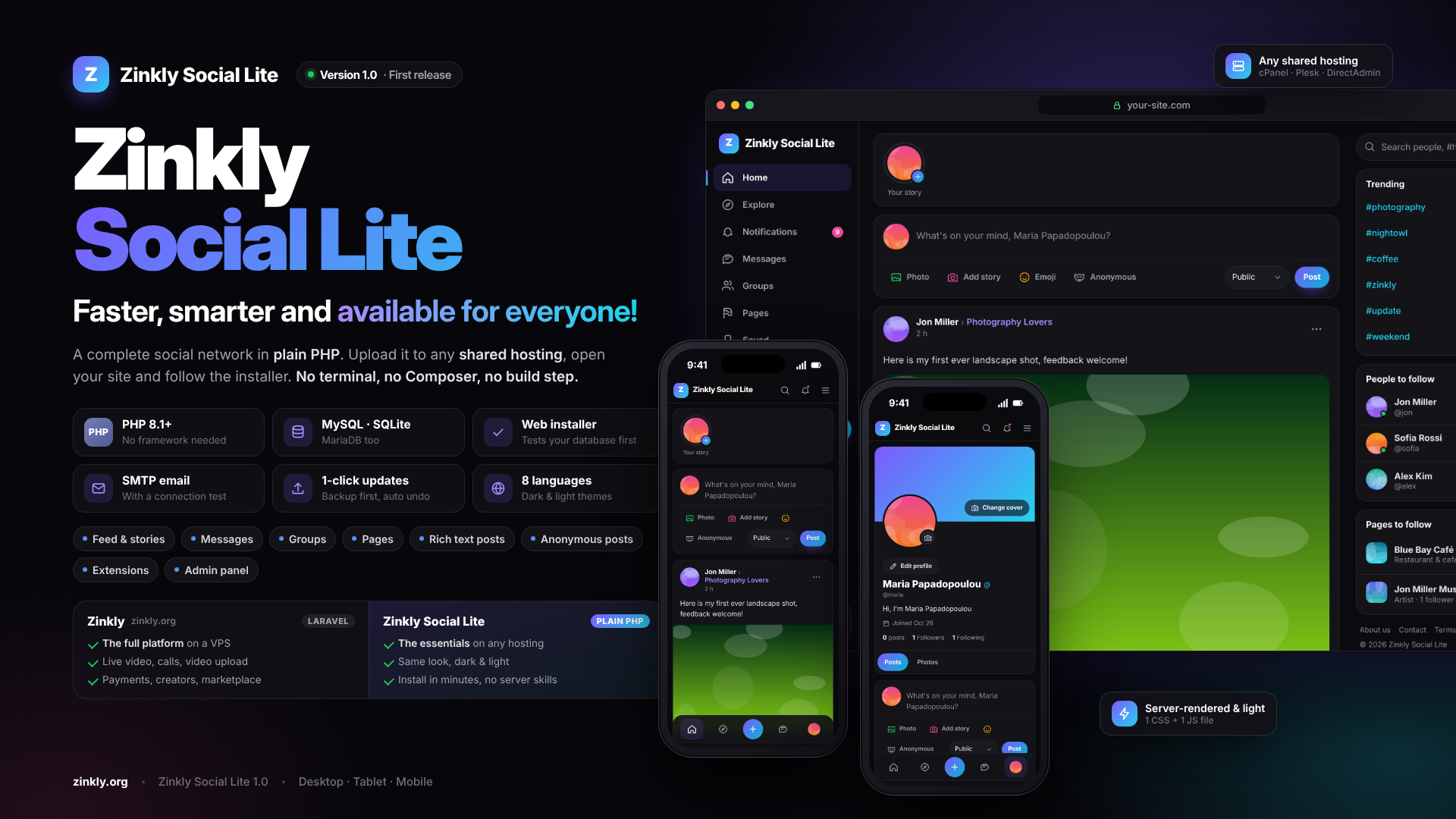
A complete, fast social network in plain PHP. Upload it to any shared hosting, run the web installer and your community is live in minutes. No terminal, no Composer, no build step.
Zinkly Social Lite is the lightweight edition of the Zinkly social network (zinkly.org). It has the same modern look and the social features people expect, rebuilt in plain PHP 8.1+ so it runs anywhere: cPanel, Plesk, DirectAdmin, Hostinger or your own server.
Upload the folder, open your site and follow four short steps in the web installer:
Your members get a news feed with photos and rich text, 24-hour stories, private messages, groups, pages, notifications and search. It works on phones, tablets and desktops, in dark or light, and in 8 languages.
You get a full admin panel:
Everything is server-rendered, with one CSS and one JS file and no external services. It is fast on cheap hosting and easy to keep running.
Zinkly Social Lite leaves out what shared hosting can’t run: live video, calls, video processing and real-time websockets. For those, see the full Zinkly platform at zinkly.org.
Need the full experience? Get the full Laravel version of Zinkly, the complete social network with Reels, Live Streaming, Marketplace, and Communities. https://shop.zinkly.org/item/zinkly-laravel-social-network-with-reels-live-marketplace-communities
The installer checks all of this for you and shows anything missing in red.
Zinkly-Social-Lite-1.0.0.zip.zinkly-social-lite folder to your site’s root (public_html/) or to a subfolder such as public_html/social/.nginx users: a sample configuration is in INSTALL.md. Full instructions are in INSTALL.md inside the package.
No notes for this release.
Sign in to review.
Sign in to join the discussion.
Be the first to ask something.
You can purchase Zinkly, the ultimate Laravel social network, to enjoy the complete Zinkly experience with all its features. Please note that it requires a VPS and terminal access to install and run properly.
Choose MySQL / MariaDB for public communities. SQLite needs no setup and suits small or private communities and testing.
Yes, for example your-site.com/social. It detects the folder by itself.
Choose SMTP in Admin › Site settings › Email and click Test connection. It tells you exactly what’s wrong: the wrong port or encryption Gmail or Outlook needing an app password your host blocking mail ports Then click Send test email.
Upload the new zip in Admin › Updates. A backup is made first, and any failure is undone automatically.
No. The data/, uploads/ and extensions/ folders are never touched.
Yes. You can set the site name, logo, accent colour, theme for visitors and the landing page in Admin › Site settings, with no code needed.
No. They need a VPS and background services that shared hosting doesn’t offer. They are part of the full Zinkly platform at zinkly.org but can be added as custom work or future updates.
The site is fully responsive and works well in mobile browsers. Native apps are not included.
Yes. Extensions are uploaded as a .zip and use hooks, settings and license keys, so they survive updates. See EXTENSIONS.md.
You can charge your users for access, for example paid memberships or subscriptions. The Regular License is for sites whose users don’t pay.
Yes. Make a backup in Admin › Updates › Backups, upload the files to the new server and restore the backup there. A MySQL backup restores only on MySQL / MariaDB, and an SQLite backup only on SQLite.
README.md, INSTALL.md and EXTENSIONS.md are in the package.CHANGELOG.md.Message the author Private, only you and the author see it.
ZinklyStudio
ZinklyStudio